A 1–3% tracking error on a $40–$120 smart jump rope sounds negligible. It isn't. At 1,500 jumps per session, that's 15 to 45 phantom reps — enough to corrupt calorie-burn estimates, skew interval…
Check Smart Jump Rope Accuracy With This 2-Minute Test
A 1–3% tracking error on a $40–$120 smart jump rope sounds negligible. It isn't. At 1,500 jumps per session, that's 15 to 45 phantom reps — enough to corrupt calorie-burn estimates, skew interval timing, and throw off progressive overload logs you're building weeks of training around. If your rope's sensor can't count reliably, every data point downstream is garbage.
Most buyers never verify. They sync the app, jump, and trust the number on the screen. Bad move. Sensor drift, firmware bugs, Bluetooth packet loss, and improper rope length all compound into cumulative tracking failure. The fix takes two minutes, a timer, and your own eyes.
This guide walks through the exact verification protocol, explains why your sensor gets it wrong, and tells you what margin of error is actually acceptable — and what isn't.
The Mechanics of Tracking: Hall Effect Sensors and Accelerometers
Every smart jump rope on the market relies on one of two detection methods. Understanding which one your rope uses matters, because each fails differently.
Hall Effect sensors detect magnetic field changes as the rope's handle rotates. A small magnet embedded in the rotating mechanism passes a sensor chip with each revolution. One pass, one count. Clean in theory. In practice, the magnet's position can shift over time, especially in budget housings where tolerances are loose. Result: missed rotations or phantom double-counts. The magnet-to-sensor gap is often the first thing to degrade — dust, impact from dropping the handle on hard floors, or even thermal expansion in warmer rooms can widen the gap enough to miss fast passes at high cadence.
Accelerometers measure directional change in the handle's movement. Gyroscopic data tracks the handle's arc through 360-degree rotation and assigns a jump when a full cycle completes. More sophisticated. Also more prone to false triggers — wrist flicks, grip shifts, and mid-air adjustments register as full rotations. These sensors work best when the user maintains a consistent, predictable movement pattern. Introduce any asymmetry — dominant hand swinging wider, grip loosening mid-set — and the accelerometer's noise floor rises quickly.
| Factor | Hall Effect Sensor | Accelerometer |
|---|---|---|
| Detection method | Magnetic field interruption | Directional change / gyroscopic arc |
| Typical failure mode | Missed counts from magnet drift | Phantom counts from wrist movement |
| Sensitivity to rope length | Moderate — consistent arc needed | High — irregular arcs distort data |
| Battery impact | Lower — passive detection | Higher — constant motion processing |
| Accuracy at high cadence (>140 RPM) | Degrades at extreme speeds | Handles speed better, but noise increases |
Both systems transmit data via Bluetooth — typically 4.0 or higher — to a paired app. That Bluetooth handshake introduces a second failure point. Packet loss during high-cadence intervals means the app receives incomplete rotation data. The rope counted 120 jumps. Your app logged 113. Neither sensor nor app is "wrong" individually; the pipeline between them dropped packets.
If your smart rope can't survive a basic head-to-head count against a timer and your own tally, no amount of app analytics or gamified leaderboards will fix the underlying data.
This is why the verification test doesn't involve the app's reporting at all. You're testing the entire system end-to-end: sensor, firmware, Bluetooth, and app aggregation.
Executing the 2-Minute Verification Protocol
No special tools. No paid calibration software. A phone timer and your ability to count out loud. That's it.
Setup requirements:
- Smart jump rope fully charged, synced to its companion app
- Phone or kitchen timer set to 2:00
- Flat, non-slip surface
- Consistent jump rhythm — single bounces, no crossovers, no double-unders
The test protocol:
1. Reset the app's session counter to zero. Start a fresh tracking session within the companion app. Close any background fitness tracking that might duplicate counts — some apps running in parallel will merge Bluetooth data from multiple sources.
2. Set a 2-minute countdown timer — independent from the rope's app. Your phone's native clock app works. Do not use the rope's built-in timer if one exists; you need an external reference that the rope's firmware can't influence.
3. Begin jumping at a sustainable, consistent cadence. Target 70–80 RPM, roughly one jump every 0.75–0.85 seconds. Not sprint pace. Not leisure. A rhythm you can hold without breaking form for the full two minutes.
4. Count every jump silently in your head. Do not rely on feel. Count each single bounce as one rep. If you trip, pause the timer, reset your count if needed, and restart. A trip followed by recovery jumps without a clean reset will poison the dataset.
5. When the timer hits zero, stop. Note your manual count. Open the app and note its recorded count.
6. Calculate the discrepancy: (App Count – Manual Count) / Manual Count × 100 = Error %
Run the test three times. Average the results. A single run is a snapshot; three runs reveal whether the error is consistent (systematic drift) or random (packet loss, momentary sensor glitch).
Why exactly 2 minutes?
Short enough that fatigue doesn't compromise your counting accuracy — counting past 200 while maintaining cadence introduces human counting errors that skew your baseline. Long enough to generate a meaningful sample size — 140 to 160 jumps at moderate cadence gives you a defensible dataset. Anything under 60 seconds introduces too much variance from the first few jumps, where acceleration data is least reliable as the rope finds its arc.
A 2-minute test isn't professional calibration. It's a consumer-level sanity check — and if your rope fails it, you have a warranty claim, not a user error.
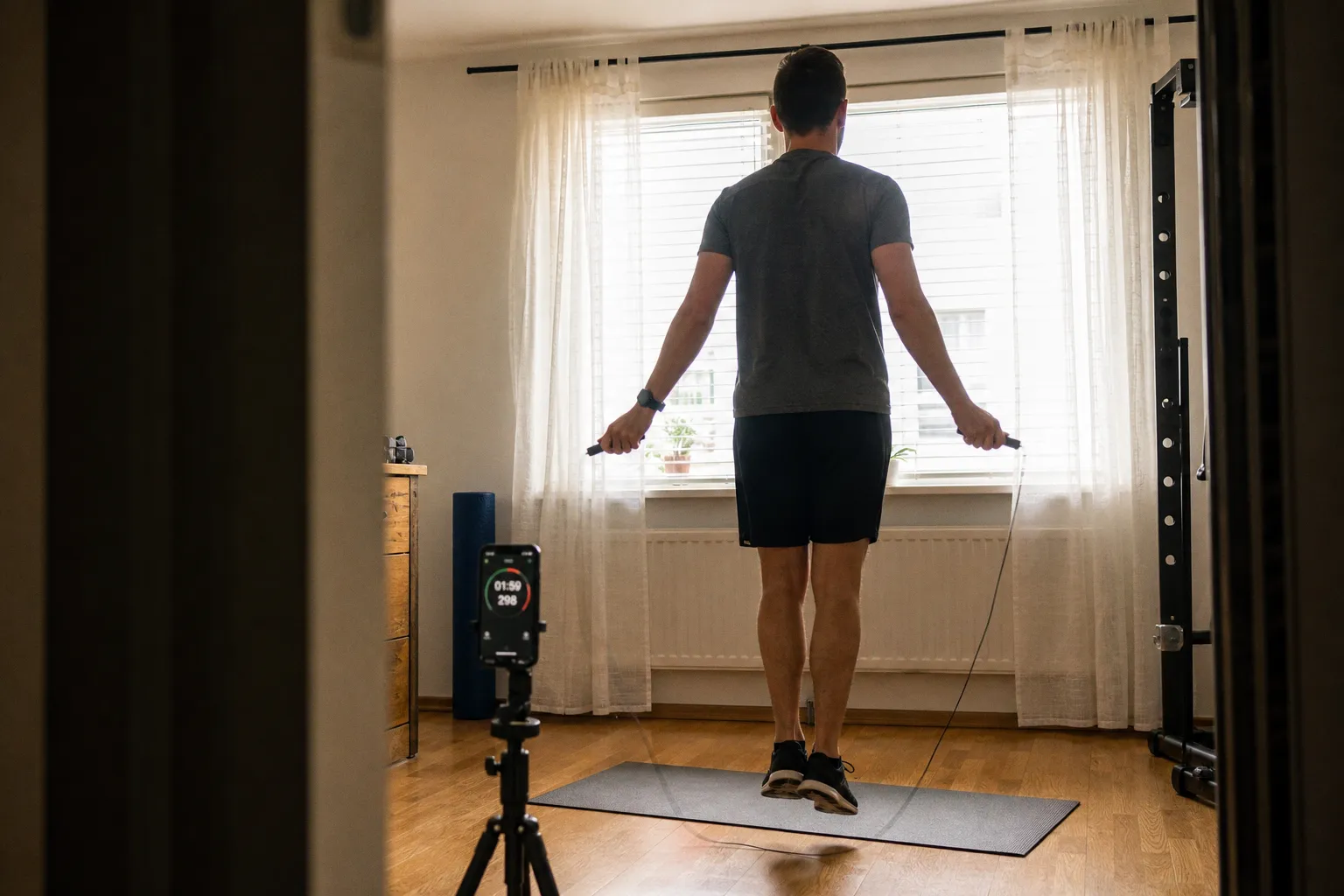
Pro tip: Film one of the three test runs on your phone at chest height, aimed at the rope's path. Count jumps from the video as a secondary verification of your real-time headcount. If your mental count and video count disagree by more than two, your counting was the weak link — rerun with the video as your primary reference.
Interpreting Your Data: Defining Acceptable Margins of Error
Here's where most smart fitness gear reviews go soft. They'll report "pretty accurate" or "close enough" without defining the threshold. Unacceptable.
The benchmark:
| Error Percentage | Verdict | Action |
|---|---|---|
| 0–1% | Within spec | No action needed |
| 1–3% | Acceptable for consumer-grade | Monitor; check firmware |
| 3–7% | Problematic | Troubleshoot immediately |
| 7%+ | Defective or miscalibrated | Return / warranty claim |
A 1–3% margin is the industry-accepted tolerance for consumer-grade fitness wearables. Smartwatches hitting step counts, chest straps estimating heart rate zones, bike sensors logging cadence — they all live in this band. Your jump rope should too.
But context matters. A 2% error at moderate cadence (75 RPM) translates to roughly 3 missed or phantom jumps over 2 minutes. Tolerable. That same 2% error at high-intensity cadence (130+ RPM) scales to 5+ missed jumps per session. Over a 10-minute HIIT block with multiple intervals, you're looking at 25–30 uncounted reps across the entire workout. That distorts calorie estimates by 15–25 kcal per session — small per workout, significant over a training cycle when you're tracking progressive volume increases week to week.
Consistency trumps accuracy. A rope that consistently under-counts by 2% is more useful than one that swings between -1% and +5% randomly. Systematic error you can adjust for. Random noise corrupts trend data. Run three test sessions. If the standard deviation across your three error percentages exceeds 2%, your sensor pipeline has a reliability problem — not just an accuracy problem.
When you chart your training volume over weeks, a consistent 2% under-count becomes invisible — the slope of the line still reflects genuine progress. A random 1–5% swing makes it impossible to distinguish real improvement from sensor noise. That's why three runs matter more than one perfect run. You're not just measuring accuracy; you're measuring repeatability.
Troubleshooting Firmware and Connectivity Discrepancies
You've run the test. Your error rate is above 3%. Don't throw the rope out yet. Most tracking failures are fixable with software, not hardware.
Step 1: Firmware update.
This is the single most effective correction for tracking bugs. Manufacturers ship ropes with sensor algorithms that get refined post-launch. A firmware patch can recalibrate rotation detection thresholds, tighten Bluetooth packet handling, and correct double-count bugs — all of which directly reduce error rates.
Open your rope's companion app. Navigate to settings or device info. Check for a pending firmware update. If one exists, install it, let the rope restart, then re-run the 2-minute test. In many cases, this alone drops error from 5–7% down to the 1–3% range. Some manufacturers push firmware updates silently in the background — force a manual check rather than relying on automatic notifications.
Step 2: Bluetooth troubleshooting.
Bluetooth 4.0 is the minimum standard for smart fitness peripherals. If your phone's Bluetooth stack is outdated or congested with multiple paired devices, packet loss increases. Practical fixes:
- Unpair and re-pair the rope. Delete the device from your phone's Bluetooth menu and re-establish the connection through the app — not through the phone's native Bluetooth settings. Pairing through the app ensures the correct Bluetooth profile is used.
- Reduce competing connections. If you're simultaneously streaming music to wireless earbuds and syncing a heart rate strap, your phone's Bluetooth controller is splitting bandwidth. Disconnect peripherals during the accuracy test. A single-device Bluetooth session produces the cleanest data pipeline.
- Update your phone's OS. Bluetooth stack bugs in older OS versions cause packet fragmentation that apps can't detect. A system update often fixes intermittent sync drops that look like sensor failure but are actually communication-layer corruption.
- Keep the phone within arm's reach. Bluetooth range degrades predictably with distance and obstacles. If your phone is sitting on a bench three meters away on the other side of a kettlebell, you're introducing signal attenuation the protocol wasn't designed to compensate for during high-frequency data bursts.
Step 3: Factory reset.
Some rope models store calibration offsets in onboard flash memory. A factory reset clears these — including any corrupted offset values that accumulated over months of use. Consult your rope's manual for the reset procedure (usually a long-press on the handle button for 10–15 seconds). Re-pair, re-sync, re-test.
Step 4: App-level calibration offsets.
Few consumer jump rope apps offer manual calibration. This is a gap in the market. If yours does — some premium models allow you to input a correction factor — use your 2-minute test average to set the offset. If the app over-counted by 3%, apply a -3% correction. Crude, but effective for maintaining usable training logs until you can replace the hardware.
If none of these steps bring your error rate below 3%, the sensor hardware itself is the problem. That's a return or warranty claim. No software patch fixes a mispositioned Hall Effect magnet or a degraded accelerometer MEMS chip.
Optimizing Rope Length for Consistent Sensor Feedback
This is the variable most people ignore, and it wrecks sensor consistency more than any other setup error.
Smart jump rope sensors — both Hall Effect and accelerometer — rely on a predictable rotational arc. When rope length changes the arc geometry mid-session, the sensor's baseline assumptions break down.
The correct length test:
Stand on the center of the rope with both feet. Pull the handles upward. The rope ends (not including handles) should reach your armpits to your lower chest. That's your starting point.
- Handles to armpit level: Best for beginners. Slower rotation, wider arc. Gives the sensor a clean, predictable 360-degree cycle with minimal slack.
- Handles to lower chest / mid-sternum: Intermediate to advanced. Tighter arc, faster cadence. Sensor accuracy holds here if the rope is properly sized and the cable is taut through the full rotation.
What breaks tracking:
- Rope too long. Excess slack creates inconsistent loop diameter. The rope may complete a visible rotation while the sensor only registers 270 degrees of handle movement — the remaining arc was all slack, no handle rotation. Result: chronic under-counting that worsens as you fatigue and your arc naturally narrows.
- Rope too short. Forces wider arm movements and wrist flicks to compensate. Accelerometer-based ropes interpret these compensatory movements as phantom rotations. Hall Effect ropes can miss the shortened, faster passes entirely. Result: over-counting on accelerometers, under-counting on Hall Effect sensors — whichever way it goes, it's wrong.
- Inconsistent length across sessions. Adjustable ropes with friction-lock mechanisms can slip during storage or transport. Always verify length before each session. A 2-inch drift is enough to throw off arc geometry by 5–8%, which cascades directly into a few percentage points of tracking error.
Most quality smart ropes ship with a cable-cut or clip-adjust system. Set your length once, mark it if needed with a small piece of tape on the cable, and verify it hasn't shifted at the start of each session. Two seconds of checking prevents 20 minutes of corrupted data.
Indoor surface matters too. Jumping on thick rubber gym mats absorbs more energy than hardwood, which changes the rope's bounce profile at the floor. The rope completes its arc differently on soft surfaces — slightly lower, slightly slower. If you calibrated on hardwood but train on thick mats (or vice versa), expect a 1–2% swing from the surface alone. Calibrate and test on the same surface you'll train on consistently.
The Verdict
Smart jump rope tracking isn't inherently broken. It's inherently unverified. The 2-minute test takes less time than reading the product's Amazon listing.
Do this: Run three 2-minute verification sessions the day you unbox any smart jump rope. Average the error. If it's within 1–3%, trust the data and train. If it's above 3%, firmware update first, Bluetooth troubleshooting second, factory reset third. Still above 3%? Return it. No loyalty to a brand that can't count to 120.
Don't do this: Skip verification because the app looks polished. Polish is UX design. Accuracy is engineering. They're not the same department.
Your training data is only as good as the sensor collecting it. Test the sensor. Trust the numbers — or don't. Either way, you'll know.